Our Ultrasound Course Offerings

All
EzVolume™
HERA Z20
Liver Solution
PortraitVue™
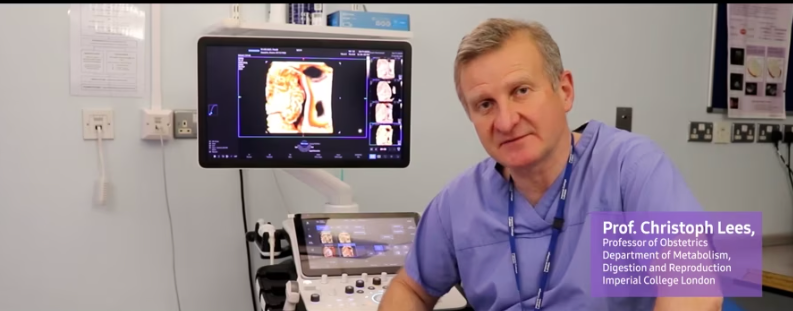
Prof. Basky on HERA Z20
RS85 Prestige
V8

Filters

Content Type
Show more Show less
Application
Show more Show less
Products & Solutions
Show more Show less
Features
Show more Show less
Availablity
Show more Show less

Sort

New

2D-based measurement in Pelvic floor ultrasound

By

Samsung

Application

Gynecology

Products & Solutions

HERA Z20

(OB Application) Why is the Auto Annotation Button not Visible on the Touchscreen

By

Samsung

Application

All General Imaging Show More

Products & Solutions

R20

How to Set Text Options When Reloading Thumbnail Images and Performing Live Scans

By

Samsung

Application

All General Imaging Show More

Products & Solutions

R20

How to Open Search Screen Directly from SonoView

By

Samsung

Application

All General Imaging Show More

Products & Solutions

R20

How to Measure the Circumference Outside the Scan Area

By

Samsung

Application

All General Imaging Show More

Products & Solutions

R20

How to Set Thumbnail Deletion Option

By

Samsung

Application

All General Imaging Show More

Products & Solutions

R20

How to Display or Hide SD or Percentile in Measurements and Reports

By

Samsung

Application

All General Imaging Show More

Products & Solutions

R20

How to Maintain Dual Live Mode and Activate the Cursor Line Before Entering PW

By

Samsung

Application

All General Imaging Show More

Products & Solutions

R20

V6 Key Features – Advanced tools for diagnosis & intervention

By

Samsung

Application

General Imaging

Products & Solutions

V6

How to Change the Increments of the Values Adjusting Image Parameters

By

Samsung

Application

All General Imaging Show More

Products & Solutions

R20

How to Move the Color Box and PW Line Counterclockwise to Fine Tune Steer

By

Samsung

Application

All General Imaging Show More

Products & Solutions

R20

How to Keep the 2D Image Size When Switching to Up, Down Dual Mode

By

Samsung

Application

All General Imaging Show More

Products & Solutions

R20

R20 quick start manual

V1.03

By

Samsung

Application

General Imaging

Products & Solutions

R20

How to Display Measurement Cursor and Results in Dual Live Mode

By

Samsung

Application

All General Imaging Show More

Products & Solutions

R20

How to Use Reverse Depth Control

By

Samsung

Application

All General Imaging Show More

Products & Solutions

R20

How to Change the Unit for Height and Weight in Study Information

By

Samsung

Application

All General Imaging Show More

Products & Solutions

R20

How to Maintain Image Width in Side-by-Side Dual Layout

By

Samsung

Application

All General Imaging Show More

Products & Solutions

R20

How to Adjust Keypress Volume

By

Samsung

Application

All General Imaging Show More

Products & Solutions

R20
View more
1 35 36 37 38 39 40 41 42

What are you looking for?

Access Restricted

Due to multiple failed login attempts,
your IP has been temporarily blocked.
Please try again in 30 minutes.

Update Your Profile

Complete your profile now to ensure uninterrupted, secure access to theSUITE.

Enter your Serial Number

Access various content with simple product registration.

Registration unavailable

Sorry, we can not verify your serial number.
Please use a correct serial number.

Product Registered!

Your product has been successfully registered!

Done
Logout Check Icon
You Successfully log out!
Thank you for visiting theSUITE.
Can not Access

You are already signed in

Cannot sign in

Please enter your email address and password correctly